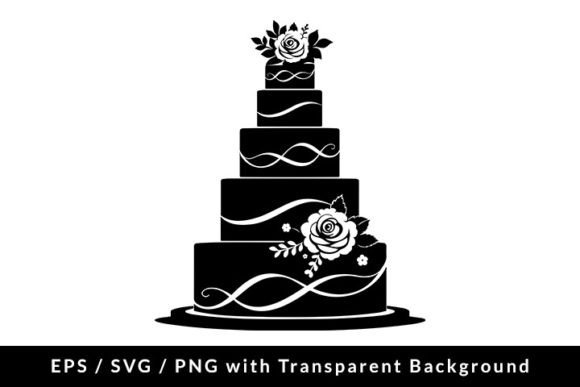
Elegant Wedding Cake Icon Clip Art: SVG, EPS & PNG Files
There's a reason the wedding cake remains one of the most universally recognized symbols in design. It instantly communicates celebration, sweetness, elegance, and new beginnings. Whether you're crafting a brand identity for a boutique bakery, designing invitations for a client's special day, or creating social media content for an event planner, having a polished, versatile wedding cake icon at your fingertips can save hours of work and elevate your entire project. This particular set of Wedding Cake Icon Clip Art in SVG, EPS, and PNG formats is designed with that exact need in mind—offering a clean, scalable silhouette that adapts beautifully across both digital and print applications.
Why This Wedding Cake Silhouette Works So Well
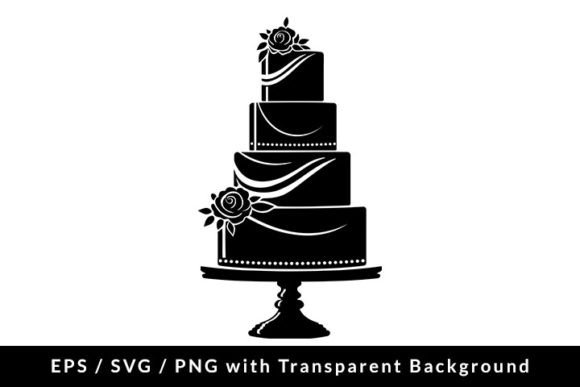
What makes a good icon? Simplicity, clarity, and adaptability. This wedding cake symbol hits all three marks. The silhouette style strips away unnecessary detail, leaving behind a form that's instantly recognizable at any size—from a tiny favicon to a large-format poster. The tiered layers, the subtle curves, and the balanced proportions give it a timeless quality that won't feel dated in a year or two. It's modern enough to feel fresh but classic enough to suit traditional wedding aesthetics.
The vector formats—SVG and EPS—mean you can scale this design infinitely without losing a single pixel of sharpness. Need it on a business card? Crisp. Blown up on a 6-foot banner? Still crisp. The PNG file, rendered at 5000×5000 pixels and 300 DPI with a transparent background, is ready for immediate use in projects where you need a high-resolution raster image that drops cleanly onto any background color or texture. That combination of formats covers nearly every workflow, whether you're working in Adobe Illustrator, Canva, Figma, Procreate, or even PowerPoint.
Real-World Uses for Designers, Creators, and Business Owners
Let's talk about where this asset actually gets used. The applications are broader than most people initially think.
Branding and Logo Design: If you're building a visual identity for a wedding planner, a cake designer, a bridal boutique, or a venue, a clean icon like this can anchor the entire brand system. Use it as a standalone mark, incorporate it into a logo lockup, or build a pattern around it for stationery and packaging. The silhouette style pairs well with both serif fonts for an elegant, editorial feel and sans serif typefaces for a modern, minimalist look.
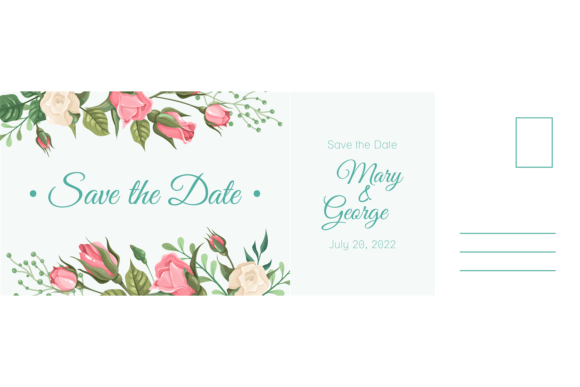
Invitations and Event Collateral: Wedding invitations, save-the-dates, RSVP cards, menu designs, table numbers, and ceremony programs all benefit from a cohesive icon set. Dropping this wedding cake symbol into your layout creates instant visual consistency across an entire suite of printed materials. It's the kind of detail that makes a designer's work look polished and intentional.
Packaging and Merchandise: Bakeries and confectionery brands can use this icon on box designs, stickers, tissue paper patterns, branded tape, and even embossed onto product labels. Because the file includes a true vector format, your printer will have no trouble matching it to any color palette or production method—including foil stamping, screen printing, and laser cutting.
Social Media Graphics: Instagram posts, Pinterest pins, Facebook event covers, TikTok overlays, and story templates all need strong visual anchors. A wedding cake icon works beautifully as a watermark, a decorative element, or a recurring motif in a content series. The transparent PNG makes it especially easy to layer over photos and colored backgrounds without awkward white edges or boxy outlines.
Websites and Blogs: Bloggers covering wedding planning, event styling, or dessert recipes can use this icon as a section divider, a category marker, or a featured image element. Web designers can incorporate it into hero sections, call-to-action buttons, or favicon designs. The SVG format is ideal for web use because it loads quickly, scales perfectly on retina displays, and can be styled with CSS if needed.
Editorial and Marketing Layouts: Magazine features, lookbooks, email newsletters, and digital ads for wedding-related businesses all benefit from a library of on-theme visual assets. Having a ready-to-use icon means you're not scrambling to find or commission something at the last minute. It's the kind of design asset that quietly pays for itself over and over again.
Making It Work with Your Existing Design Toolkit
One of the most practical things about a versatile icon like this is how easily it integrates into your current workflow. If you're already using a particular color palette or typography system, you can recolor the SVG or EPS file in seconds to match. Want it in blush pink for a romantic aesthetic? Done. Gold foil for a luxury brand? Easy. Black and white for a minimalist editorial? Absolutely.
For those thinking about font pairings, consider the mood you're setting. A wedding cake icon paired with a flowing script font creates a romantic, personal tone—perfect for invitations and save-the-dates. Combine it with a clean sans serif, and you get a contemporary feel suited for modern wedding brands and lifestyle blogs. A refined serif typeface alongside this icon evokes editorial elegance, ideal for magazine layouts or high-end packaging. The key is to let the icon complement your typography rather than compete with it. Because this silhouette is simple and uncluttered, it plays well with a wide range of typeface styles without creating visual noise.
Practical Considerations Before You Download
Before adding any design asset to your toolkit, it's worth thinking through a few practical details. First, check the licensing. A commercial-use license means you can use this icon in client work, products for sale, and business branding without worrying about legal complications down the road. That peace of mind matters, especially if you're a freelance designer or small business owner who needs to deliver professional results without licensing headaches.
Second, think about file organization. When you download the ZIP file containing the EPS, SVG, and PNG versions, take a moment to file them somewhere logical in your asset library. Future you will thank present you when a client asks for a quick turnaround on wedding-themed graphics and you can grab the right file in seconds instead of digging through random download folders.
Third, test the icon in context before committing to it in a final design. Drop it into your layout, resize it, try it on different backgrounds, and see how it interacts with your chosen fonts and colors. A design asset that looks great in isolation might need minor adjustments—maybe a slight opacity change, a subtle color tweak, or a different scale—to feel truly integrated into your project. That's normal, and the flexibility of vector files makes those adjustments painless.
Finally, consider building a small library of complementary icons. A wedding cake pairs naturally with other celebration-themed symbols—champagne glasses, rings, floral arrangements, gift boxes. Having a cohesive set of icons in the same style creates a professional, unified look across all your materials. It's a small investment that pays off in visual consistency and brand recognition over time.
Whether you're a seasoned designer managing multiple client projects or a small business owner handling your own marketing, having reliable, high-quality design assets like this wedding cake icon clip art means you spend less time searching and more time creating. The combination of scalable vector files and a high-resolution transparent PNG gives you the flexibility to work across any medium, and the clean silhouette style ensures it will look just as good five years from now as it does today. That kind of longevity in a design asset is worth its weight in fondant.